

There’s a new version of the Super Console X out now, which sells for about $70. So what makes this version “Pro”?
BUY ONE HERE
SN30 Pro controller
8BitDo wireless adapter
There’s a new version of the Super Console X out now, which sells for about $70. So what makes this version “Pro”?
BUY ONE HERE
SN30 Pro controller
8BitDo wireless adapter

This quick guide will show you how to use the PC app called Skraper to download media (box art and videos) for your ROM collection. This process is specifically for EmulationStation-based systems like the RG351P/M, RG351V, ODROID Go Super, RGB10, and even the Super Console X.
Continue reading “Quick Guide: Skraper for Retro Handheld Devices”
Today is my cat’s 13th birthday, so let’s take a break from gaming videos and review this little furball.
Continue reading “Review: Chicken the Cat”
Last updated: 28MAY2021 (see Changelog for details)
This two-part starter guide will get you up and running with your new Anbernic RG351V on the stock firmware that ships with your device.
This guide will cover a lot of the fundamental aspects that will set you up for success no matter what operating system you use on the RG351V. If you want to branch out to other firmwares, I suggest my RG351 Custom Firmware Guide.
Continue reading “RG351V Starter Guide”
Let’s take a deep dive into the tiny FunKey S retro handheld console. It can play games up to and including PS1, but is it worth your time and money?
Continue reading “Review: FunKey S”
I just recently learned about MSU1 games, and so I thought I would briefly show you what they are and how to get them running on your favorite retro handheld device (RG351P, RG351M, RGB10, and more).
Continue reading “SNES MSU1 Games on Retro Handheld Devices”
Do you get an error that says “You need to format the disk in drive [letter] before you can use it” when putting in a multi-partition SD card? This video will show you how to remove drive letters from your SD card partitions so you just see the partitions you want. Additionally, I’ll show you how to make unassigned partitions appear.
Continue reading “Fix the “Format Disk” Windows 10 Error (EmuELEC, ArkOS, 351ELEC)”
Last updated: 13JUL2022 (see Changelog for details)
UPDATE: PortMaster has recently created a one-stop shop for all things related to running ports on retro handhelds. I recommend checking out their website and my most recent PortMaster guide instead of the guide below; I’m leaving this page up for posterity’s sake only. To get started, head over to their Games tab, find the game you want to run, and check out their instructions on that page. If you run into any issues, their discord server is also a great place to start.
Today we’re going to install and play Undertale on RK33265-based retro handheld devices thanks to the PortMaster app. The game can run on the following devices:
Anbernic RG351P (ArkOS final, TheRA, 351ELEC)
Anbernic RG351M (ArkOS final, TheRA, 351ELEC)
Anbernic RG351V (ArkOS, TheRA, 351ELEC)
Anbernic RG351MP (ArkOS, TheRA, 351ELEC)
PowKiddy RGB10 (ArkOS)
GameForce Chi (ArkOS)
RK2020 (ArkOS)
ODROID Go Advance (ArkOS)
ODROID Go Super (The RetroArena, RetroOZ)
PowKiddy RGB10 Max (The Retro Arena, RetroOZ)
The video below is a bit outdated, since it uses the older AnberPorts app and requires you to extract Linux files from a Windows PC. See below for the “simple conversion process” and the PortMaster solution instead.
Continue reading “Guide: Undertale on Retro Handheld Devices”
This brand new firmware upgrade to the Retroid Pocket 2 has breathed new life into this little device. This lightweight Android build provides a 20% speed improvement when launching and navigating apps, thanks to its lower overhead. This means that the interface will feel significantly faster if you are coming from Android 8.1 (see my guide here), and quite a huge jump if you are still on the stock firmware (Android 6.0).
Check out the video below for my detailed installation instructions. Note that this firmware does NOT allow you to access the RetroidOS interface, so if that’s important to you, I recommend sticking with Android the regular 8.1 version. This update will also wipe your internal storage, but I’ll show you how to re-load your stock apps to the device. This update can be done from either Android 6.0 or 8.1 firmware.
Finally, note that this update can only be performed on a Windows computer. If you have a Mac, make friends with a Windows user, and then borrow their computer for a few minutes (bring cookies and/or beer when you do).
Continue reading “LineageOS (Android 8.1) on Retroid Pocket 2”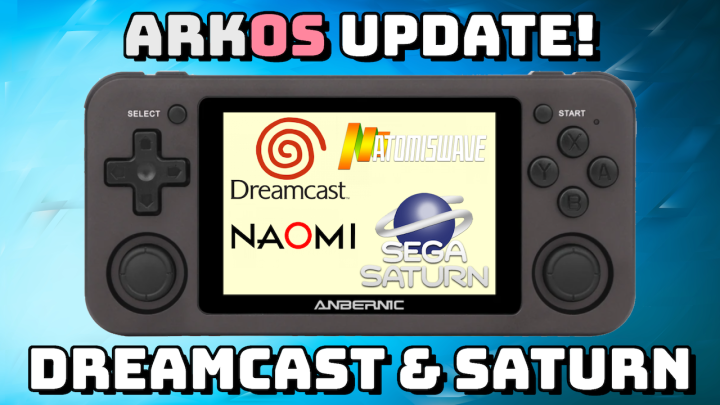
Today I’m excited to show off the new RetroRun frontend update for ArkOS, which dramatically improves Sega Dreamcast performance on the RG351P, RG351M, RGB10, OGA, and more. It also provides significant improvements to Sega Saturn emulation, even making a few games actually playable 🙂
Continue reading “New ArkOS Update: Dreamcast/Saturn Improvement for RG351 Devices!” Retro Game Corps