The Nubia REDMAGIC 7 was just announced, and I had a chance to thoroughly test this exciting new phone. With an active fan, AMOLED display, shoulder triggers, and the latest Snapdragon 8 Gen 1 chipset, let’s see how it handles Android gaming and game emulation.
In this video I’ll show you how I set up my AYN Odin, some frontend options, configuration tips, and emulation gameplay testing for 30+ GameCube, Wii, and PS2 titles.
Thanks to new updates to their emulators, you can get greatly improved Sega Saturn performance on RG351V, RG351MP, RGB10, ODROID Go Advance, ODROID Go Super, and RGB10 Max devices running ArkOS and RetroOZ. In this guide I’ll show you how to install the new update, configure the emulator, and we’ll take a look at some gameplay, too.
Note that 351ELEC support is planned but not implemented yet.
Last updated: 10FEB2026 (see Changelog for details)
The Retroid Pocket handhelds are seemingly simple devices to set up — they run on Android, so how hard could it be? But it turns out there are some orientation quirks in setting up these handhelds; this guide is meant to take you from the very beginning of your journey with the device to the point of being a superstar.
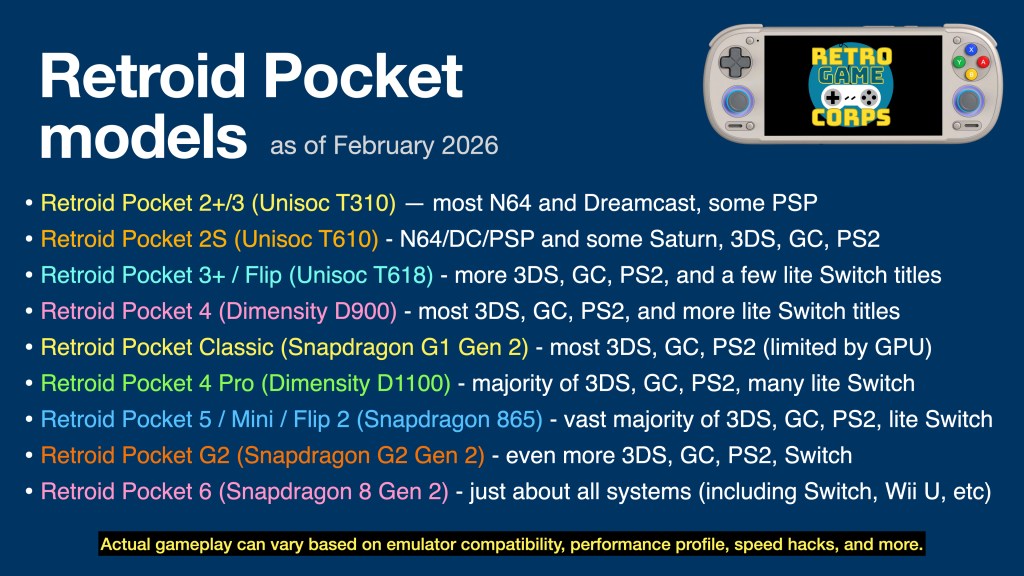
This guide will work for a number of Retroid Pocket devices. The major difference will be the performance for each, which can be summarized in the table below. This guide will be focused on the more recent Retroid Pocket releases, with notes for some older devices/CPUs.
I have video reviews for each device on my YouTube channel, which you can find either by checking out my Retroid Pocket playlist or the embedded videos below.
Are the Retroid Pocket devices pre-loaded with games? No, the devices ship as a general Android phone or tablet, with only essential apps (Play Store, Chrome, etc.) pre-installed. You are on your own to find the emulated game files (ROMs) to play on this device. There are no links to copyrighted files on this website.
At around $180, the Chuwi HeroBox Pro has the potential to be one of the best sub-$200 PCs on the market today. But at that price, will games even be worth playing on it? Let’s find out.
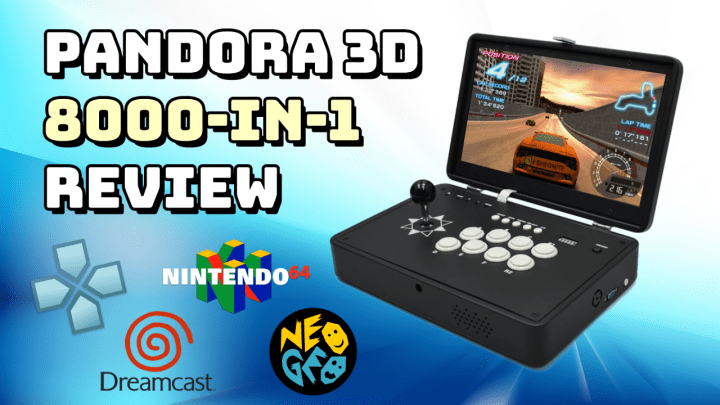
There are so many Pandora devices out there that it’s hard to determine where to start. Today we’re going to take a look at one of the more powerful Pandora 3D boxes and see what the experience is like.
WebRcade is a new browser-based platform that allows you to play your own retro games via cloud storage like DropBox. This will allow you to play your personal library on all sorts of devices — like the iPhone, iPad, Xbox and more. The games all run at full speed and it’s very easy to set up the platform. And it’s 100% open-source and free. In this video I’ll walk you through how it all works!
If you love Android games or streaming, and don’t want to use your phone, the GPD XP may already be on your radar. Let’s check it out and see how it works.





 Retro Game Corps