

In this video I’ll show you how to swap out the PowKiddy RGB10 Max screen for a replacement, in case something happens to yours.
PowKiddy RGB10 Max
Screen and other parts
My toolkit
In this video I’ll show you how to swap out the PowKiddy RGB10 Max screen for a replacement, in case something happens to yours.
PowKiddy RGB10 Max
Screen and other parts
My toolkit

Last updated: 02MAR2022 (see Changelog for details)
The PowKiddy RGB10 Max is my favorite of the current “budget” (sub-$150) retro handheld devices. Most of that has to do with its lovely 5″ display, plastic shell, and internal WiFi. There are some definitely flaws with the device (underwhelming quality assurance, mono speaker, a weird rubber coating), but it ticks enough boxes that I recommend it as a good starting device for anyone looking to play retro games on a handheld device.
So in this guide I’m going to walk you through the entire process of buying the device, getting oriented with its user experience, and customizing the firmware to suit your needs. Note that the video guide was made before the RGB10 Max 2 was announced, but the process will be the same.
Continue reading “PowKiddy RGB10 Max (and Max 2) Starter Guide”
Today we’re going to test the AWOW NY41S PC Stick and see how it performs primarily as an emulation machine running the Batocera operating system. While not powerful enough to function as a PC replacement, this form factor and decent emulation performance make it ideal within an arcade cabinet or as a travel-friendly gaming setup.
Amazon (US)
Amazon (UK)
or from AWOW direct

Wondering what custom firmware options you have available on the RG351MP? Yeah, me too. So let’s look at the four current operating systems you have available, and what that means for this little handheld console.
Continue reading “RG351MP Custom Firmware Guide”
Unexpectedly, the Anbernic RG280V has become my favorite device to pick up and play for quick gaming sessions. In this video I’ll share six reasons why I love it so much, and one thing about it that’s kind of a bummer.
Buy one here
RG280V setup guide
RG280V metal shell
Song during introduction — “Return to Form” by T-120
Continue reading “THIS is the handheld I’ve been playing the most. Here’s why.”
Besides being the ultimate Android TV box, the NVIDIA Shield TV Pro is also a powerful emulation console. Let’s look at what kind of game performance we can get out of this $200 device.
Continue reading “NVIDIA Shield TV Pro as an Emulation Console”
Last updated: 04SEP2023
Moonlight is a game streaming tool designed to allow you to stream your screen (and games) from a PC to a connected device. This means you can stream games that wouldn’t normally run on your device, such as GameCube, PS2, PC games, and so on. This is an excellent option if you want to play a few games while in bed, or on the couch, or maybe at the dinner table.
For this guide, we will focus on Moonlight support for custom Linux-based firmwares on the following handheld devices:
Anbernic RG351P (ArkOS final, AmberELEC) — requires WiFi dongle
Anbernic RG351M (ArkOS final, AmberELEC)
Anbernic RG351V (ArkOS, AmberELEC)
Anbernic RG351MP (ArkOS, AmberELEC)
PowKiddy RGB10 (ArkOS) — requires WiFi dongle
PowKiddy RGB10 Max (RetroOZ) — requires WiFi dongle for 5GHz
GameForce Chi (ArkOS)
RK2020 (ArkOS) — requires WiFi dongle
ODROID Go Advance (ArkOS) — may require WiFi dongle
ODROID Go Super (RetroOZ) — requires WiFi dongle
Update: Moonlight is now available via the PortMaster app, so any of the many devices and OS options that run PortMaster will run Moonlight, and some custom firmwares (like JELOS) have Moonlight integrated directly into the OS. Elements of the written guide below may be a little out of date!
Continue reading “Guide: Moonlight on Retro Handhelds”
Last updated: 10JUL2022
UPDATE: PortMaster has recently created a one-stop shop for all things related to running ports on retro handhelds. I recommend checking out their website and my most recent PortMaster guide instead of the guide below; I’m leaving this page up for posterity’s sake only. To get started, head over to their Games tab, find the game you want to run, and check out their instructions on that page. If you run into any issues, their discord server is also a great place to start.
PortMaster is a new tool developed by ChristianHaitian (ArkOS developer) and a few other community members, which allows you to easily install various ports on Ubuntu-based operating systems running on the RK3326 chipset, such as ArkOS, RetroOZ, and The Retro Arena (TheRA). It also works for AmberELEC (formerly known as 351ELEC) and JELOS too! PortMaster support currently includes the following devices:
Anbernic RG351P (ArkOS final, TheRA, AmberELEC, JELOS)
Anbernic RG351M (ArkOS final, TheRA, AmberELEC, JELOS)
Anbernic RG351V (ArkOS, TheRA, AmberELEC, JELOS)
Anbernic RG351MP (ArkOS, TheRA, AmberELEC, JELOS)
Anbernic RG552 (AmberELEC, JELOS)
Anbernic RG503 (JELOS, ArkOS)
Anbernic RG353P (JELOS, TheRA)
PowKiddy RGB10 (ArkOS) and by extension the RGB10S and RGB20S
GameForce Chi (ArkOS)
RK2020 (ArkOS)
ODROID Go Advance (ArkOS)
ODROID Go Super (The RetroArena, RetroOZ)
PowKiddy RGB10 Max and Max 2 (RetroOZ)
So in this guide I’ll walk you through how to use this simple tool to get some of your favorite ports up and running on your device. Note that your device will need to be connected to the Internet for this to work!
Continue reading “Guide: PortMaster on Retro Handheld Devices”
Nearly 33 years after the Sega Genesis released, we have a new game to try out! Demons of Asteborg released last month and can easily work in your favorite retro handheld. If it can run Genesis games (and the Picodrive emulator), it’ll likely run this game, too.
Find it on Steam
Main page (for the demo)
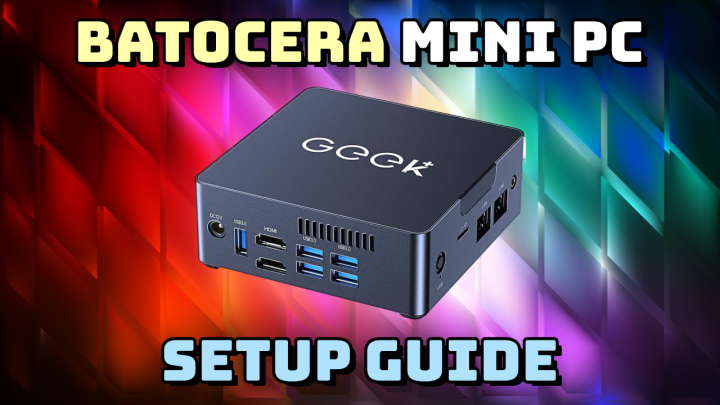
In today’s video I’m going to show you how to take one of those inexpensive mini PCs you can find on Amazon and transform it into a retro gaming console. All in all, this setup can give you the most bang for your buck, and a lot of flexibility.
Continue reading “Batocera Mini PC Setup Guide” Retro Game Corps