Retroid Pocket 2: First Impressions

Retroid Pocket 2: First Impressions

After over a month of waiting for it to arrive, my pre-ordered Retroid Pocket 2 finally came in the mail. It will take me some time to familiarize myself with its user interface and potential, but I wanted to make a quick post and video to share my initial thoughts. Other than watching a few videos to determine whether I wanted to buy the device, I mostly stayed away from videos and discussion about tweaking the experience. I wanted to have a fresh impression when first opening the box.

Continue reading “Retroid Pocket 2: First Impressions”

Guide: Install the RG350M screen on your RG350

Guide: Install the RG350M screen on your RG350

Last updated 26SEP2020 (see Changelog for details)

If you have an RG350 or RG350P, but have heard all the great things about the RG350M screen, this guide is for you. I’ll walk you through the upgrade process, which includes a teardown, case modification (for the RG350 only), and installation of new display drivers. There’s also a video of the process available below, which will make things even easier.

Continue reading “Guide: Install the RG350M screen on your RG350”

Guide: How to load games onto the RG350 (Native Apps and Games)

Guide: How to load games onto the RG350 (Native Apps and Games)

Last updated 24FEB2021 (see Changelog for details)

One of the most fundamental aspects of owning an RG350 (or any emulation device, really) is to learn how to load your game files onto it. In this guide I will walk you through how to install ports, which are games and apps that run natively on the RG350 and similar devices. I will also highlight any unique configurations that are needed to make sure your games are running perfectly.

My comprehensive RG350 install guides:

Continue reading “Guide: How to load games onto the RG350 (Native Apps and Games)”

Guide: Ultimate RG350 cheats guide

Guide: Ultimate RG350 cheats guide

Last updated 06SEP2020

Some of the classic games were short compared to today’s standards, and so in order to keep people from blazing through the game and losing interest, many publishers required their developers to make their games more challenging. This extra challenge was sometimes perfectly balanced, but in many instances it made the games frustratingly difficult to play. So this guide will show you how to implement cheats for most systems that run on the RG350 devices.

Continue reading “Guide: Ultimate RG350 cheats guide”

Guide: How to load games onto the RG350 (Classic Home Computer Systems)

Guide: How to load games onto the RG350 (Classic Home Computer Systems)

Last updated 05NOV2020 (see Changelog for details)

One of the most fundamental aspects of owning an RG350 (or any emulation device, really) is to learn how to load your game files onto it. In this guide I will walk you through how to install all of the home computer emulators, load their game files, plus highlight any unique configurations that are needed to make sure your games are running perfectly.

My comprehensive RG350 install guides:

Continue reading “Guide: How to load games onto the RG350 (Classic Home Computer Systems)”

Guide: Add voice tracks to the first two Monkey Island games on your RG350 device

Guide: Add voice tracks to the first two Monkey Island games on your RG350 device

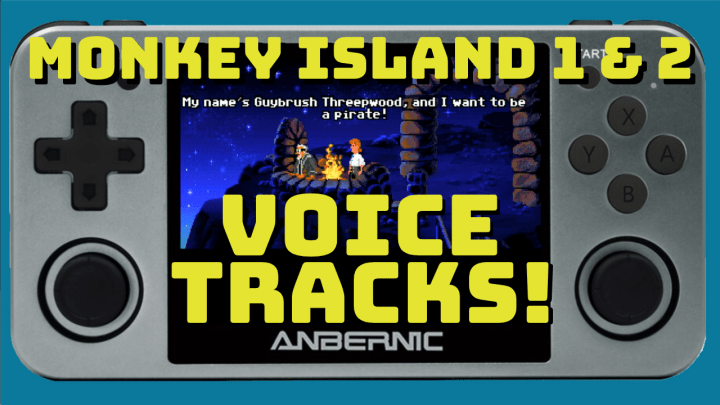
The Monkey Island series remains one of my favorite game franchises, and it’s pretty cool that you can play the original versions of them on your RG350 devices through the ScummVM emulator. The third game, The Curse of Monkey Island, is a 90’s era classic — crisp, cel-shaded animation, witty humor, and wonderfully-acted voice tracks. But as you may know, the first two games, The Secret of Monkey Island and Monkey Island 2: LeChuck’s Revenge, were created before CD-ROM games were popular, so they do not feature any voice tracks — just text dialog.

The thing is, those first two games have Special Editions, re-rendered in HD and with full voice acting, and released in 2009 and 2010, respectively. So it got me thinking. Can we get our hands on those voice tracks and add them to our original games, and then run them on the RG350? That’s a big question, and after a day of research, I’m happy to report that I got it working perfectly. Read on for the full guide, or follow along with the video at the bottom of this article.

Continue reading “Guide: Add voice tracks to the first two Monkey Island games on your RG350 device”

Guide: How to play MSX/MSX2 games on the RG350

Guide: How to play MSX/MSX2 games on the RG350

I’m nearly done with my Hope Computers guide (an accomanpiment to the Home Console/Handhelds and Arcade guides I published last week), but in creating this guide, I’ve learned a lot about some of these systems, and I think it’s worth putting together separately from the guide. So today let’s talk about MSX and MSX2 systems, and how to get them running on your RG350 devices.

MSX computers have a very interesting story. They started in 1983 as a family of computers designed to establish a single standard in home computing. Microsoft (in partnership with ASCII) created the firmware for the system, and major companies like Sony, Yamaha, Panasonic, Toshiba, Daewoo, and Philips all created systems within the MSX (and later, MSX2 and MSX2+) standard. The MSX standard didn’t take off in the US, but it was important in Asia, South America, and Europe throughout the 1980s. Before the Famicom (NES) took off in Japan, many of game developers (like Konami) produced their games for the MSX/MSX2; most notably, the original version of Metal Gear, and the only version of Metal Gear 2: Solid Snake, were developed by Hideo Kojima for the MSX and MSX2.

Continue reading “Guide: How to play MSX/MSX2 games on the RG350”

Guide: How to play Pico-8 games on the RG350

Guide: How to play Pico-8 games on the RG350

Update 18OCT02020: The Tac08 emulator has yet another great update, and rather than keep two different articles going, I’ll just continue to make updates (with a Changelog) over at my Home Computer Installation Guide. Check out all things Pico-8 over there!

GitHub user Lee Witek has recently created an updated Pico-8 emulator that runs really well on the RG350. Here is a quick guide on how to get it running on your RG350 (shout out to Reddit user isotropy for the tip).

Continue reading “Guide: How to play Pico-8 games on the RG350”

Guide: External Gamepad Support for the RG350

Guide: External Gamepad Support for the RG350

Last updated 22SEP2020 (see Changelog for details)

The RG350 has an excellent button layout, and it feels great in the hands. So why would you want to hook an external controller into your device? For starters, you could map the external gamepad to control a second player. Pair that with an HDMI update and you’ve got a pretty sweet mini 2-player console setup.

So if you’re hoping to try out some two-player gameplay on an RG350, I’m here to tell you that yes, it’s possible. But it’s also a little tricky, so this guide will walk you through the required equipment and settings.

Continue reading “Guide: External Gamepad Support for the RG350”

Nintendo 64 gameplay performance test on the RG350

Nintendo 64 gameplay performance test on the RG350

Yes, you CAN play N64 games on the RG350 devices. But should you? Here’s footage from 16 different games that I tested on my RG350 — for better or for worse. To be honest, about four of five of them played pretty well, and I’ve kept them on my RG350M as permanent additions.

Continue reading “Nintendo 64 gameplay performance test on the RG350”