My current (simple) 351ELEC setup

My current (simple) 351ELEC setup

Sometimes, less is more. In this video I’ll show you how I’ve pared down my retro game collection to just focus on the games that I actually want to play, and how it has given me the opportunity to just focus on games, and not endless browsing.

Devices that support this setup:
Anbernic RG351P
Anbernic RG351M
Anbernic RG351V
Anbernic RG351MP
PowKiddy RGB10 Pro
PowKiddy RGB10 Max
PowKiddy RGB10 Max 2

351ELEC: https://351elec.de/
ArkOS: https://github.com/christianhaitian/arkos/wiki

Note that while I didn’t explicitly mention it, this same setup can be done within RetroOZ for its supported devices as well. Check out the latest version here.

Continue reading “My current (simple) 351ELEC setup”

RetroArch Starter Guide

RetroArch Starter Guide

Last updated: 11MAR2025 (see Changelog for details)

RetroArch is one of my favorite programs to use for retro game emulation, because it can emulate many systems. But it does have quite a steep learning curve. In this guide I’m going to demystify some of the more peculiar things about this emulation frontend, and show you how I set up RetroArch on my own gaming platforms.

This guide is meant to help you get set up with various RetroArch iterations. The video will primarily be done on Windows PC, but the same method will apply to MacOS, Linux, Android, iOS, Vita, and Xbox platforms, and more.

RetroArch really shines on retro systems, particularly PlayStation 1 and below games. For more modern consoles, it is often more efficient to rely on standalone emulators, which are generally more optimized than RetroArch. However, if you are using a system that relies primarily on RetroArch for emulation (like Xbox), or you have a beefy PC that can run well regardless of optimizations, you may find success in emulating higher-end systems in RetroArch, too.

Continue reading “RetroArch Starter Guide”

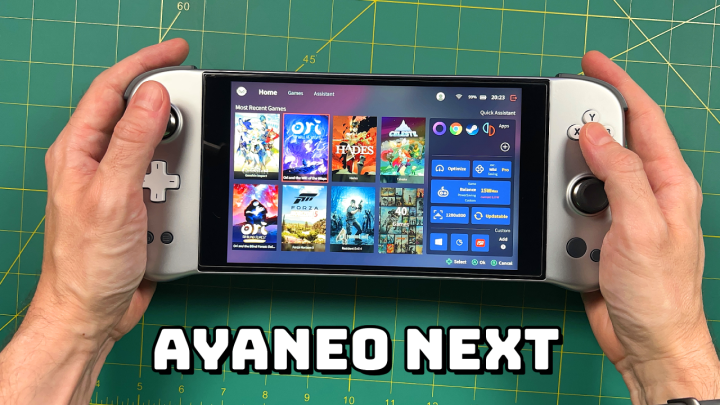
AYANEO NEXT — One Month Later

AYANEO NEXT — One Month Later

The AYANEO Next is launching its IndieGoGo campaign, and so I thought it was time to do an update video to complement the in-depth review video I made last month. In this video we’ll talk about my everyday use of the device, some tips and tricks I’ve learned along the way, and whether this handheld PC is worth its premium price.

More info here
AYANEO links and tools

Continue reading “AYANEO NEXT — One Month Later”

Mini Handheld Comparison: Miyoo Mini vs Anbernic RG280V

Mini Handheld Comparison: Miyoo Mini vs Anbernic RG280V

In this video we’ll compare my two favorite mini handhelds and see which one takes the crown.

Anbernic RG280V
RG280V on Amazon
Adam firmware image
Why I play the RG280V the most

Miyoo Mini
My in-depth review
OnionOS guide and showcase
Miyoo Mini case (the original is currently sold out)

Continue reading “Mini Handheld Comparison: Miyoo Mini vs Anbernic RG280V”

Retroid Pocket Starter Guide

Retroid Pocket Starter Guide

Last updated: 10FEB2026 (see Changelog for details)

The Retroid Pocket handhelds are seemingly simple devices to set up — they run on Android, so how hard could it be? But it turns out there are some orientation quirks in setting up these handhelds; this guide is meant to take you from the very beginning of your journey with the device to the point of being a superstar.

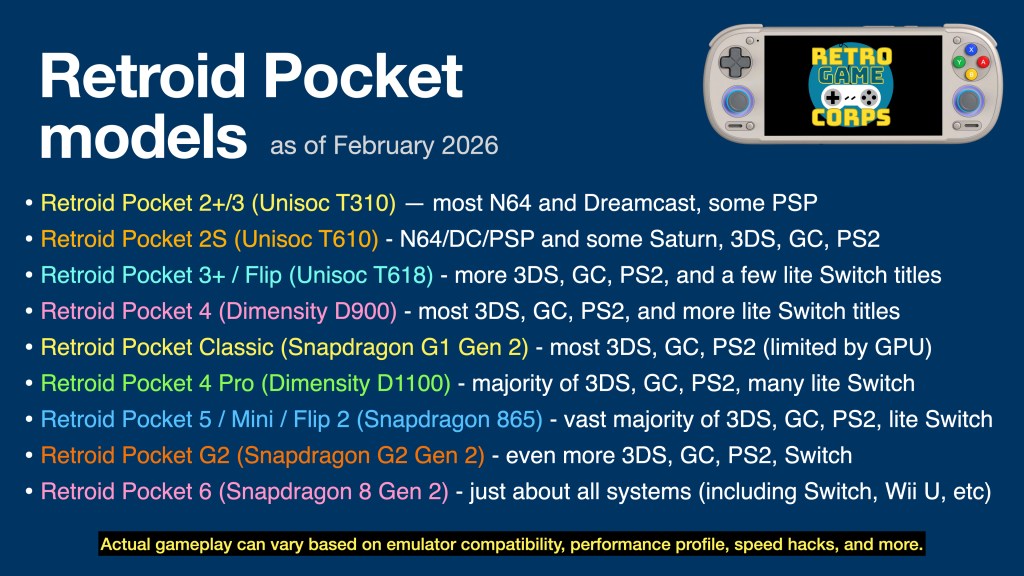
This guide will work for a number of Retroid Pocket devices. The major difference will be the performance for each, which can be summarized in the table below. This guide will be focused on the more recent Retroid Pocket releases, with notes for some older devices/CPUs.

I have video reviews for each device on my YouTube channel, which you can find either by checking out my Retroid Pocket playlist or the embedded videos below.

Are the Retroid Pocket devices pre-loaded with games? No, the devices ship as a general Android phone or tablet, with only essential apps (Play Store, Chrome, etc.) pre-installed. You are on your own to find the emulated game files (ROMs) to play on this device. There are no links to copyrighted files on this website.

Continue reading “Retroid Pocket Starter Guide”