Guide: Half-Life on the RG351P

Guide: Half-Life on the RG351P

Last updated: 10JAN2023 (see Changelog for details)

Yep, you can play Half-Life on the RG351P, using the ArkOS operating system. Here’s a quick guide on getting it started up.

UPDATE (10JAN2023): After a couple years of being unfinished/abandoned, a port of Half-Life is now available via PortMaster. Check out the instructions on how to get it up and running here.

Continue reading “Guide: Half-Life on the RG351P”

PlayStation Vita as a Retro Handheld Gaming Device

PlayStation Vita as a Retro Handheld Gaming Device

Last updated: 13DEC2020 (see Changelog for details)

If you’ve ever spent time on any emulation-related website, subreddit, YouTube comments, or discord server, you’ve heard the arguments: if you want a good handheld gaming device, you must buy a PS Vita. So I decided to pick up a PS Vita and give it the same critical eye that I like to give any of my handheld devices.

Continue reading “PlayStation Vita as a Retro Handheld Gaming Device”

Guide: Minecraft on the RG351P

Guide: Minecraft on the RG351P

Last updated: 04AUG2022 (see Changelog for details)

I’ve had a couple people ask me about playing Minecraft on the RG351P, and honestly, until the other day, I didn’t think it was possible. But then a reader pointed out the fact that there is a homebrew version of Minecraft created specifically for the PSP (a 10-year undertaking, nonetheless!), and since PSP games work on the RG351P, I set out to get the game working on this device. As luck would have it, I was successful.

Bear in mind that this is a pared-down version of Minecraft, and it plays like the classic version of this game. I find this fitting for a console focused on retro games, and I bring it up only to temper your expectations. This game does support ad-hoc wireless multiplayer gameplay, but I haven’t been able to test it. Let’s check it out.

Continue reading “Guide: Minecraft on the RG351P”

Top 5 Retro Games (with MashTec and More Tech Sir!)

Top 5 Retro Games (with MashTec and More Tech Sir!)

I teamed up with MashTec and More Tech Sir! to showcase our own personal “Top 5” retro games. The rules were simple: the game must be playable on a retro handheld device, 5th generation (PS1/N64) or older, and one minute showcase per game. Amazingly there was no overlap!

Continue reading “Top 5 Retro Games (with MashTec and More Tech Sir!)”

OpenDingux Beta Firmware for RG350 and RG280 Devices

OpenDingux Beta Firmware for RG350 and RG280 Devices

Last updated: 08JUL2021 (see Changelog for details)

The RG350 and RG280 devices run on a Linux-based firmware called OpenDingux. This operating system was originally intended for the GCW-0 retro handheld device, which was part of a successful Kickstarter campaign back in 2013. And while this old firmware presents some advantages (like 7+ years of app development history), its kernel has become outdated over time. Luckily, developer zcrc has been working on getting the current upstream Linux onto these devices, and for about a month now there have been nightly builds of a public beta for this new firmware, which is simply called “OpenDingux” (I’ll refer to it as “OD beta” throughout this guide). To read more about its development, check out this update from this past summer.

Long story short, I’ve been following this beta release for a couple months now, and I think it’s time to say that you should consider flashing this firmware onto your device. I first touched on this beta in my Super Mario 64 guide, but at the time I didn’t see any real benefit to loading it other than to play SM64 on a device that shouldn’t really be able to play this game so dang well. But since then, the OD beta has been getting better and better, including added support for the RG280 devices.

So in this guide I’ll show you how to install the OD beta firmware, and also provide a list (with links!) to all the OPKs/apps that run on it. This guide applies to the RG350, RG350P, RG350M, RG300X, RG280M, and RG280V devices.

Continue reading “OpenDingux Beta Firmware for RG350 and RG280 Devices”

Guide: DOOM (+ Mods) on the RG351P and RG351M

Guide: DOOM (+ Mods) on the RG351P and RG351M

Last updated 31MAY2021 (see Changelog for details)

Getting the first two DOOM games set up on a new device is a rite of passage. Heck, even the latest Nintendo Game & Watch device has been hacked to play DOOM. Luckily, no complex hacking is required to run DOOM on the RG351 devices, because the RetroArch PrBoom core is already loaded on your device, ready to send you back to 1993.

So in today’s guide we’ll show you how to set up DOOM on the RG351P’s many operating systems, how to tweak the settings to your liking, and how to run DOOM mods as well.

If you are an ArkOS user, be sure to check out this LZDoom guide, which will open up even more opportunities for you.

Continue reading “Guide: DOOM (+ Mods) on the RG351P and RG351M”

2020 Retro Handheld Black Friday Deals

2020 Retro Handheld Black Friday Deals

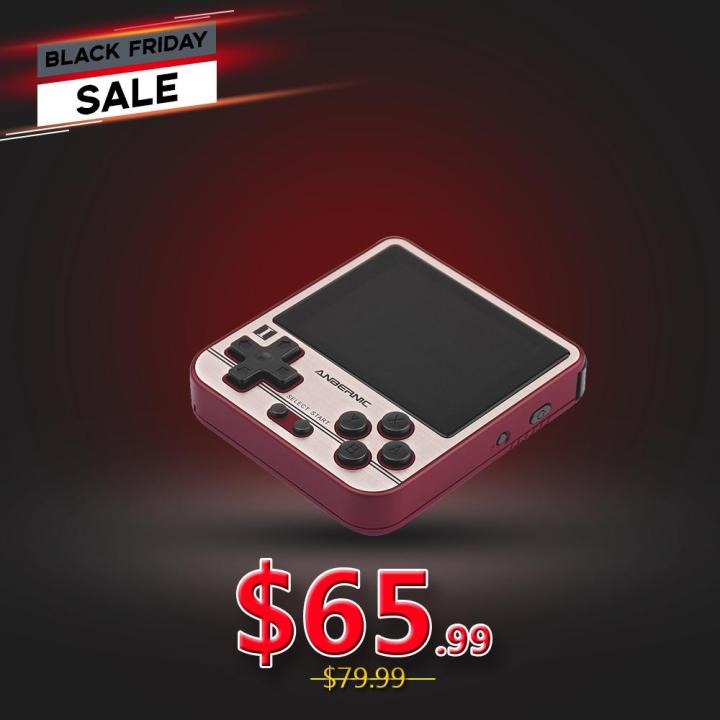
Hi everyone, here are the deals that I’ve found so far for Black Friday this year. I’ll be sure to update this page as I find more deals for you. Please note that some of these links are affiliate links, which means that if you use one of these links and purchase something, I may receive a small commission at no extra cost to you.

Continue reading “2020 Retro Handheld Black Friday Deals”

Introducing the RGC Patreon Page

Introducing the RGC Patreon Page

Hi everyone, just a quick note to let you know that after receiving several requests, I have created a Retro Game Corps Patreon page.

My goal with this website is to bring 100% FREE content to anyone who wants it. For this reason, I am not creating any perks for becoming a Patron of my website and channel; in other words, no content is held back from non-Patrons. All proceeds will go towards supporting this website (paying webhosting and domain fees, storage space, etc.), and investing in new devices and equipment to bring more content to everyone.

Thank you all for your continued support with my platform. I started this website just a few months ago because I grew frustrated with trying to find guides for retro handheld consoles, and at some point I said to myself, “why don’t I just make a site?” — and here we are. I’m immensely proud and in awe of everyone’s enthusiasm for this unique niche of video gaming.

If you’re not interested in joining my Patreon page, but you want to support this site, I have also created a buyer’s guide which has my recommended online stores for retro handheld devices and accessories. Some of these stores have affiliate links, which provides me with a small commission on any purchase you make, at no additional cost to you.

More soon,
Russ