Low-profile analog sticks and custom buttons for the RG350

Low-profile analog sticks and custom buttons for the RG350

Last updated 23SEP2020 (see Changelog for details)

As an affordable handheld retro gaming device, the original RG350 is almost perfect. There’s a lot to love: the device is lightweight but feels nice and sturdy, and the d-pad and face buttons punch way above its weight class. I also really like how its d-pad below the analog stick and therefore not aligned with the face buttons, because this diagonal button placement makes the unit feel more balanced in my hand. This may come from those years when the Xbox 360 was my primary home console, but either way, I prefer this placement.

But after a couple months with the device, I do have some gripes. First, I wasn’t impressed with its low-res 320×240 screen resolution, especially after getting my hands on its more successful cousin, the RG350M, who has a nice 640×480 screen. Luckily, I was able to remedy this issue by installing an RG350M screen onto my device (read my guide here). The next part are those analog sticks. They stick out (pun intended) like a sore thumb, and make the device much less pocketable than it could be. Moreover, they are covered with these small rubber nubs, which can flip off and disappear in your couch cushions for days or weeks at a time.

So today we’re going to replace the analog sticks with a low-profile that also happens to improve the gameplay experience, too. And while we’re at it, let’s swap out the face buttons with something a little more colorful, just for fun.

Continue reading “Low-profile analog sticks and custom buttons for the RG350”

Guide: Nintendo DS on the Retroid Pocket 2

Guide: Nintendo DS on the Retroid Pocket 2

Last updated 24SEP2020 (see Changelog for details)

One of my most pleasant surprises with a new Retroid Pocket 2 is that it can play Nintendo DS games surprisingly well. I just didn’t think that was possible with a single screen, let alone a lack of touchscreen, but it turns out that many games are very manageable with the Retroid Pocket 2, thanks to a special DS emulator called DraStic. So in this guide I’ll walk you through how to download and configure DraStic, and list off some games that perform really well with the Retroid Pocket 2.

Continue reading “Guide: Nintendo DS on the Retroid Pocket 2”

New RG350 SimpleMenu “ComicBook” theme

New RG350 SimpleMenu “ComicBook” theme

Last updated 21SEP2020

Today I’m happy to share a new SimpleMenu theme that I’ve been working on. It is based on the ComicBook RetroPie theme from TMTturtleguy, which was first released a few years ago. In addition to changing the system and logo art for every system, I have made some coloring updates that blends the whole system together. I also updated the font to something that will allow for a lot of text while still being nice and legible on the screen.

Continue reading “New RG350 SimpleMenu “ComicBook” theme”

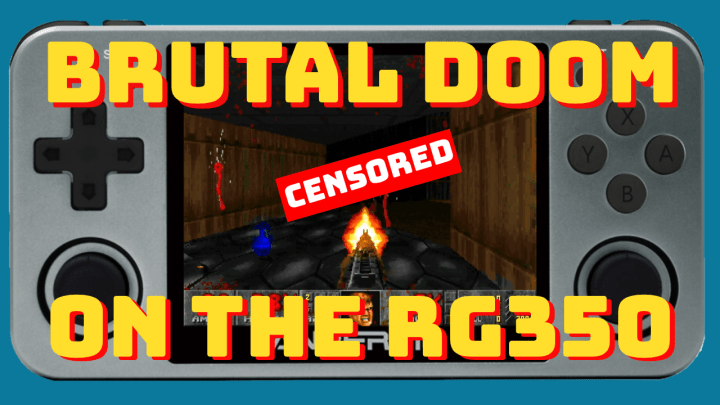
Guide: Brutal DOOM on the RG350

Guide: Brutal DOOM on the RG350

Last updated 22SEP2020 (see Changelog for details)

I recently published my Native Apps and Games guide, which includes an extensive guide and video on how to load various DOOM mods. Those instructions provide for a good portion of mods available; specifically, most “boom” or “vanilla” compatible mods (packaged as .wad files) will work with this method.

But many people familiar with the DOOM mod scene know that ZDoom (now called GZDoom) has become the most popular mod platform for DOOM-based games, and those mods (usually packaged as .pk3 files) are not compatible with my previous method. Luckily, thanks to some very helpful folks on Reddit and Facebook, I’ve created a guide that will allow you to play Brutal DOOM, one of the most popular DOOM mods of all time, on your RG350 devices.

Continue reading “Guide: Brutal DOOM on the RG350”

Retroid Pocket 2 Day 3 — Launchers, Among Us, DS, and more!

Retroid Pocket 2 Day 3 — Launchers, Among Us, DS, and more!

Last updated 19SEP2020

So I’ve had a few days with my new Retroid Pocket 2, so here is a quick video to demonstrate some of the things I’ve learned. I still have a ways to go in getting it fully up to speed, but I thought you’d appreciate some of the progress I’ve made.

Continue reading “Retroid Pocket 2 Day 3 — Launchers, Among Us, DS, and more!”

Retroid Pocket 2: First Impressions

Retroid Pocket 2: First Impressions

After over a month of waiting for it to arrive, my pre-ordered Retroid Pocket 2 finally came in the mail. It will take me some time to familiarize myself with its user interface and potential, but I wanted to make a quick post and video to share my initial thoughts. Other than watching a few videos to determine whether I wanted to buy the device, I mostly stayed away from videos and discussion about tweaking the experience. I wanted to have a fresh impression when first opening the box.

Continue reading “Retroid Pocket 2: First Impressions”

Guide: Install the RG350M screen on your RG350

Guide: Install the RG350M screen on your RG350

Last updated 26SEP2020 (see Changelog for details)

If you have an RG350 or RG350P, but have heard all the great things about the RG350M screen, this guide is for you. I’ll walk you through the upgrade process, which includes a teardown, case modification (for the RG350 only), and installation of new display drivers. There’s also a video of the process available below, which will make things even easier.

Continue reading “Guide: Install the RG350M screen on your RG350”

Guide: How to load games onto the RG350 (Native Apps and Games)

Guide: How to load games onto the RG350 (Native Apps and Games)

Last updated 24FEB2021 (see Changelog for details)

One of the most fundamental aspects of owning an RG350 (or any emulation device, really) is to learn how to load your game files onto it. In this guide I will walk you through how to install ports, which are games and apps that run natively on the RG350 and similar devices. I will also highlight any unique configurations that are needed to make sure your games are running perfectly.

My comprehensive RG350 install guides:

Continue reading “Guide: How to load games onto the RG350 (Native Apps and Games)”

Guide: Ultimate RG350 cheats guide

Guide: Ultimate RG350 cheats guide

Last updated 06SEP2020

Some of the classic games were short compared to today’s standards, and so in order to keep people from blazing through the game and losing interest, many publishers required their developers to make their games more challenging. This extra challenge was sometimes perfectly balanced, but in many instances it made the games frustratingly difficult to play. So this guide will show you how to implement cheats for most systems that run on the RG350 devices.

Continue reading “Guide: Ultimate RG350 cheats guide”

Guide: How to load games onto the RG350 (Classic Home Computer Systems)

Guide: How to load games onto the RG350 (Classic Home Computer Systems)

Last updated 05NOV2020 (see Changelog for details)

One of the most fundamental aspects of owning an RG350 (or any emulation device, really) is to learn how to load your game files onto it. In this guide I will walk you through how to install all of the home computer emulators, load their game files, plus highlight any unique configurations that are needed to make sure your games are running perfectly.

My comprehensive RG350 install guides:

Continue reading “Guide: How to load games onto the RG350 (Classic Home Computer Systems)”